
Safari profiles
How to switch Safari profiles on a Mac,
and a switcher that works per link
Safari gives you five ways to open or switch to a profile, and most people know one of them. Here is every built-in method, the shortcuts Apple does not document, and the one thing Safari cannot do on its own: let you pick the profile at the moment you click a link.
By Matt Senter, who builds Burly
Matt Senter is an independent Mac developer who designs, builds, and ships small native apps end to end. He built Burly to send every link on his own Mac to the right browser profile, including Safari profiles, which most routers cannot reach, and he writes these pages from that first-hand use.
Updated
What is the fastest way to switch Safari profiles?
Inside Safari, the fastest route is the profile button at the left of the toolbar: click it and choose Switch to <Profile> Window. From another app, right-click Safari in the Dock and use the New Window submenu. If you switch many times a day, Safari's Command-Option-Shift-number shortcuts are quicker still, as long as Safari is already in front. Apple's own Safari profiles guide covers creating profiles in the first place.
Every built-in way to switch Safari profiles
- The File menu. Choose File > New Window, then New <Profile> Window. On current versions of Safari the per-profile items sit inside the New Window submenu rather than at the top of the File menu.
- The profile button in the toolbar. Click the profile name at the left of the toolbar and choose New <Profile> Window, or Switch to <Profile> Window to change the current window in place. Switching in place only works from a window showing the start page or an empty page.
- The Dock icon. Right-click Safari in the Dock, open the New Window submenu, and pick a profile. This is the one built-in route that works while another app is in front.
- The hidden keyboard shortcuts. Safari assigns Command-Option-Shift plus a number to each profile window, shown beside the items in the New Window submenu. Apple does not document them, and they only work while Safari is the frontmost app.
- Open Links With Profile, per website. Visit a site, then choose Safari > Settings > Websites > Open Links With Profile and pick a profile for it. Links to that site from Mail, Messages, or any other app then open in that profile. Everything else still goes to the profile you used most recently.
If Open Links With Profile is set up but links still land in the wrong place, the usual culprits are redirecting links, Safari not being your default browser, or a rule that was never saved for that exact site. Why Open Links With Profile is not working walks through each one.
How do you switch Safari profiles from any app?
Safari's shortcuts stop working the moment another app is in front, which is exactly when you usually want them. The common fix is a hotkey tool. MacStories maps a Hyper key in BetterTouchTool to launch Safari and then send the profile shortcut, and Keyboard Maestro users build the same thing as a macro. Both work, and both are one more tool to maintain.
Burly takes a different route to the same place: every profile, Safari or not, gets a system-wide keyboard shortcut that opens a fresh tab there from any app, and you can give each profile an emoji, a color, and its own key so Safari Work and Safari Personal are impossible to mix up.
What does a Safari profile switcher add?
Everything above switches the window you are looking at. None of it decides where a link from Slack, Mail, or Messages goes. For that, Safari has Open Links With Profile, and it runs out in four places. The rule is per website, so you decide once in advance rather than at the moment you click, and a link you want in Personal today still goes to Work. You can only configure a site you are currently browsing. Shortened and redirecting links, the youtu.be and tracking wrappers most links arrive as, resolve too late to match a rule. And the whole feature stops at Safari: it has nothing to say about the Chrome or Firefox profiles you also keep.
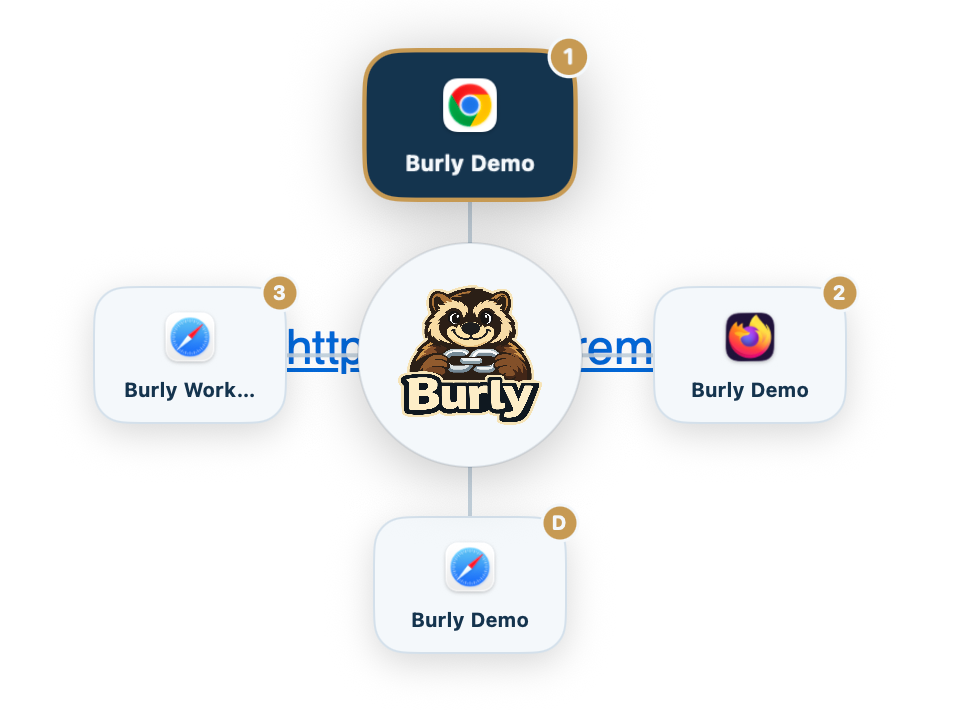
A Safari profile switcher of the kind this page is about fills that gap. It intercepts the link before any browser sees it and lets you choose the destination then and there, per click, with every profile on the Mac on the same menu. If the per-site rule already covers your situation, use it and skip the extra app.
Why is Safari harder than Chrome?
Chrome, Brave, Edge, and Firefox all accept a launch argument that names a profile directory. A link router can start the right profile without touching the UI. Safari has no equivalent public flag. The only reliable mechanism is to press the per-profile "New Profile Window" item in Safari's File menu, then hand that window the URL.
AppleScript plus System Events looks like the obvious way to press a menu item, and it is the path most shortcuts take. It fails with error -1743 unless the app also has Automation consent, a separate grant from Accessibility, and that grant is unreliable for apps that are not in the App Store. On macOS 15 and later the profile items are nested under a New Window submenu, so a script that looked at the top-level File menu silently finds nothing.
Burly reads the menu through the Accessibility API, descends one level when the items are nested, and presses the matching "New <Profile> Window" item. That is why Safari profiles show up next to Chrome and Firefox profiles in the same picker, and why the supported browsers list treats Safari profiles as first-class destinations.
How do you use Burly as a Safari profile switcher?
- Download Burly and drag it to Applications. Grant Accessibility when macOS asks: that permission is how Burly reaches Safari's profile menu.
- Open Burly once so it can read the Safari profiles already on your Mac. Each one shows up as its own destination, the same way Chrome and Firefox profiles do.
- In System Settings, under Desktop & Dock, set Burly as your default web browser. Every http and https click now lands with Burly first.
- Click any link and pick the Safari profile it belongs in. Burly opens a window in that profile and hands it the URL. No copy-paste, no AppleScript.
If you have never changed the default handler, the default browser guide walks through Desktop & Dock. The broader category, including pickers that cannot reach Safari, is in the Mac link router guide.
How this compares to other routers
If Safari profiles are the reason you are shopping, most of the field is already out. Velja, Choosy, and Finicky can target Chromium and Firefox profiles and cannot target a Safari profile. OpenIn can, and it also routes mail and files, for $11.99. Burly is free and focused on web links. The comparison hub puts that in one table, and the 2026 roundup says who each app is for.
Safari profile switcher FAQ
- How do I switch between Safari profiles on a Mac?
- Click the profile name in the Safari toolbar and choose Switch to <Profile> Window, which works from a start page or empty page. To open a fresh window in another profile instead, use File > New Window > New <Profile> Window, the Dock icon's New Window submenu, or the Command-Option-Shift-number shortcut Safari shows beside each profile.
- Is there a keyboard shortcut to switch Safari profiles?
- Yes, but only inside Safari. Safari gives each profile window a Command-Option-Shift-number shortcut, listed in the File > New Window submenu, and it only fires while Safari is in front. To reach a profile from any app, tools like BetterTouchTool launch Safari first and then send that shortcut, and Burly gives every profile its own system-wide hotkey.
- Does Safari have a built-in profile switcher for links?
- Partly, and it is worth trying first. Safari > Settings > Websites > Open Links With Profile lets you choose which profile a particular website opens in when the link comes from another app. The limits are that it is a per-website rule rather than a choice at click time, you can only set it for a site you are currently browsing, redirecting links like youtu.be resolve too late to match, and it covers Safari only.
- Why do Keyboard Maestro and AppleScript workarounds fail?
- Safari has no command-line flag or AppleScript command for a profile. Scripts that press menu items through System Events need a separate Automation consent that is unreliable to obtain, and macros that click "New Profile Window" break when Apple nests it under a submenu, which is what macOS 15 and later do. The most dependable macros send Safari's own profile shortcut instead.
- How does Burly open a specific Safari profile?
- It uses the Accessibility API to read Safari's File menu, including the nested New Window submenu on recent macOS, and presses the "New <Profile> Window" item for the profile you picked. Then it hands the URL to that new window. Safari has to be running, and Burly needs the Accessibility permission. It works whatever language your Mac is set to.
- Why do other link routers not ask for Accessibility permission?
- Because they cannot open Safari profiles. Chrome, Edge, Brave, and Firefox accept a launch argument that names a profile, which needs no special permission. Safari has none, so the only way to send a link to a chosen Safari profile is to press its New <Profile> Window menu item, and macOS only lets one app press another app's menus with Accessibility permission. A router that never asks for it cannot target Safari profiles. If you never use Safari profiles, you can leave Accessibility off in Burly too.
- Which other macOS link routers can target Safari profiles?
- Almost none. Velja, Choosy, Finicky, BrowserFairy, Bumpr, and Browserosaurus stop at Chromium and Firefox profiles, or at the browser itself. OpenIn can reach Safari profiles too, for $11.99; Burly is the free option that does.
Send Safari links to the right profile
Free, native, and private. Safari profiles included, no AppleScript required.
Download for macOS